
Network Infrastructure 101: What Every NJ Business Owner Should Know
8
min read
Network Infrastructure 101: What Every NJ Business Owner Should Know
You do not need to be a tech expert to run a successful business in New Jersey. But you do need to understand one thing: if your network is not built right, everything else suffers.
Slow Wi-Fi. Dropped connections. Systems that go down at the worst possible time. Security breaches that could have been prevented. These are not just IT problems — they are business problems. And most of them trace back to the same root cause: a network that was never properly designed in the first place.
This guide breaks down what network infrastructure actually is, why it matters for your business, and what to look for when yours is not keeping up.
What Is Network Infrastructure?
Think of your network infrastructure as the roads your data travels on. Every time an employee sends an email, pulls up a file, joins a video call, or processes a transaction — that data is moving across your network. If those roads are poorly built, congested, or unsecured, everything slows down or breaks.
Network infrastructure includes:
Routers and firewalls — the gatekeepers that control what comes in and out of your network
Switches — the traffic directors that connect all your devices together
Access points — the hardware that broadcasts your Wi-Fi signal
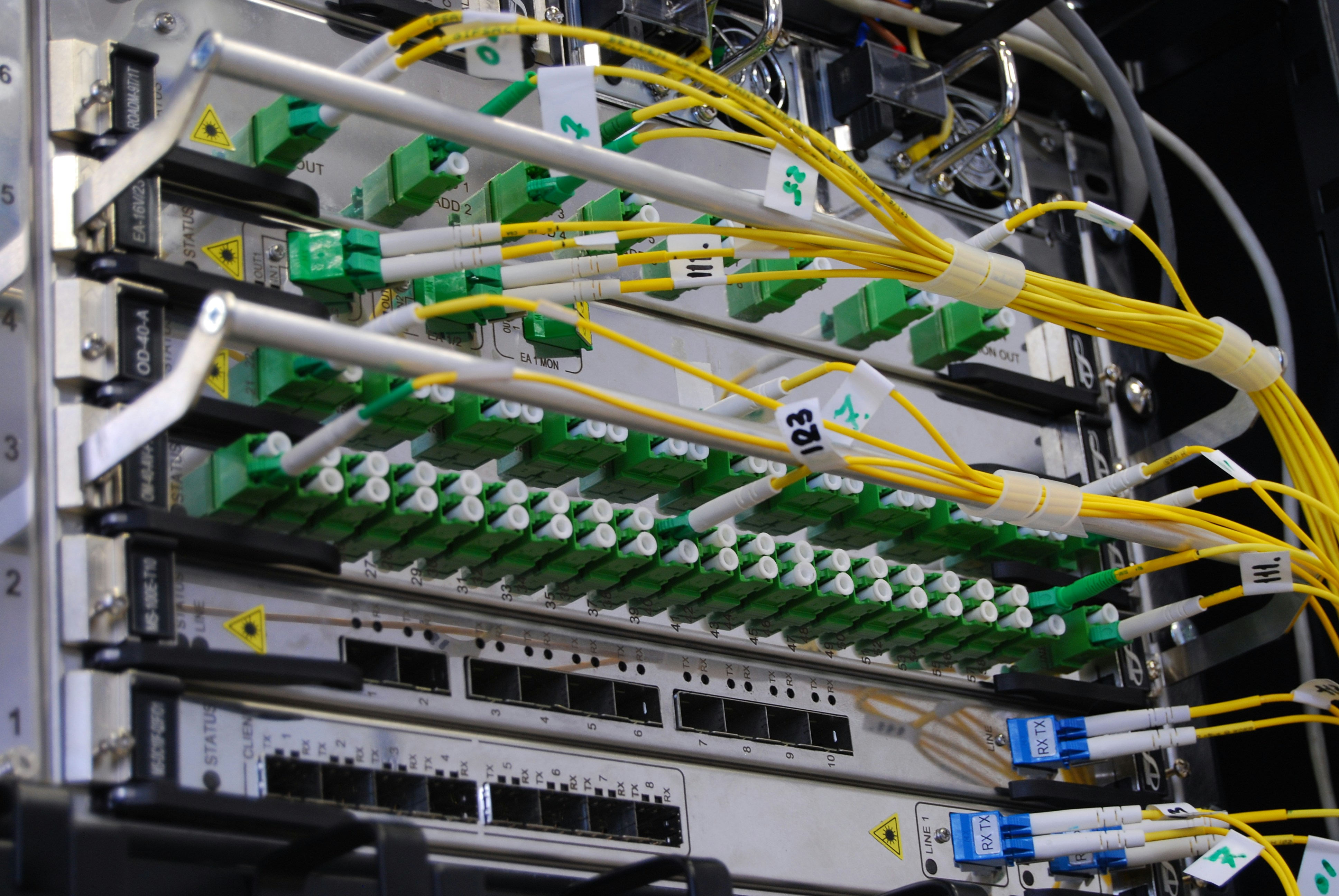
Cabling — the physical backbone that carries data between devices at high speed
VLANs — virtual lanes that separate different types of traffic on the same network
Most small business owners inherit a network that was set up years ago, patched together over time, and never properly documented. That works — until it does not.
Why It Matters More Than You Think
Here is a scenario that plays out regularly for businesses across New Jersey.
A company moves into a new space or expands into a larger facility. They plug in some routers, set up Wi-Fi, and get to work. For a while, things seem fine. Then as the team grows and more devices connect — laptops, phones, printers, security systems, point-of-sale terminals — the network starts to buckle. Wi-Fi drops in certain areas. Video calls freeze. File transfers take forever. Nobody can figure out why.
The answer is almost always the same: the network was never designed to handle what the business became. It was designed for what the business was on day one.
A properly designed network is built with growth in mind. It accounts for the number of devices, the types of traffic, the physical layout of the space, and the security requirements of the business.
The Core Components Every NJ Business Needs
1. A Proper Firewall
Your firewall is the first line of defense between your business and the internet. A consumer-grade router with a built-in firewall is fine for a home network. It is not fine for a business handling client data, financial records, or employee information.
Enterprise-grade firewalls — like those from Fortinet, Cisco, or Palo Alto — give you granular control over who can access what, log all traffic for compliance purposes, and detect threats before they reach your devices.
For NJ businesses in healthcare, finance, or education, a properly configured firewall is not optional — it is a compliance requirement.
2. Managed Switches
Switches connect all your wired devices — computers, printers, servers, phones — to each other and to the internet. An unmanaged switch just passes traffic through. A managed switch lets you control and prioritize that traffic.
This matters more than most business owners realize. When your video calls compete with file downloads and security camera feeds all on the same network, everyone loses. Managed switches let your IT team prioritize the traffic that matters most and isolate the rest.
3. Enterprise Wi-Fi Access Points
Consumer Wi-Fi routers are designed for homes. They broadcast a single signal in a limited range and handle a small number of devices. Put that in a business environment with 20, 50, or 100+ users and it falls apart quickly.
Enterprise access points — the kind installed in ceiling mounts across a facility — are designed for density. They handle hundreds of simultaneous connections, hand off seamlessly as users move around the space, and broadcast consistent signal across every corner of the building.
For businesses operating across a large footprint — warehouses, manufacturing floors, multi-story offices, school buildings — enterprise Wi-Fi is not a luxury. It is a necessity.
4. Structured Cabling
Wireless is convenient, but wired connections are always faster and more reliable. Structured cabling is the organized, labeled, and documented physical network that connects your switches, access points, servers, and workstations through the walls and ceilings of your facility.
Bad cabling is one of the most common and most overlooked sources of network problems. Cables run haphazardly, unlabeled, and undocumented make troubleshooting a nightmare and upgrades nearly impossible. A clean, structured cabling installation makes every other part of your network easier to manage and expand.
5. VLANs — Virtual Network Separation
A VLAN — Virtual Local Area Network — is a way of dividing your single physical network into separate logical lanes. Think of it as having different roads for different types of traffic, even though they all share the same physical infrastructure.
Why does this matter for your business? Consider what might be on your network at any given moment:
Employee laptops and workstations
Guest Wi-Fi for visitors or customers
Printers and shared devices
Security cameras or access control systems
Point-of-sale terminals
Without VLANs, all of that traffic shares the same network. A guest connecting to your Wi-Fi could potentially reach your internal file servers. A compromised printer could expose your entire network. VLANs prevent that by keeping each type of traffic in its own lane, invisible to the others.
Signs Your Network Infrastructure Needs Attention
You do not need to understand the technical details to recognize when something is wrong. Here are the signs NJ business owners most commonly report before calling us:
Wi-Fi dead zones in parts of the office, warehouse, or facility
Slow speeds that get worse as more people arrive in the morning
Dropped connections during video calls or while using cloud applications
Devices that cannot connect in certain areas of the building
No one knows the network password or who set up the current system
No network documentation — nobody can tell you what connects to what
Security concerns — you have had a breach, received a phishing warning, or need to pass a compliance audit
Any one of these is worth addressing. If you are experiencing several at once, your network likely needs a proper assessment and redesign — not just a quick fix.
What a Professional Network Assessment Looks Like
Before any work begins, a qualified IT provider should conduct a full assessment of your existing environment. At Nexus Ideal Solutions, this is always our first step with new clients.
A proper assessment covers:
Physical walkthrough of the facility to understand layout, existing cabling, and coverage requirements
Device inventory — documenting every switch, access point, router, and endpoint on the network
Traffic analysis — understanding what types of traffic are moving across your network and where the bottlenecks are
Security review — identifying open ports, outdated firmware, weak passwords, and misconfigured firewall rules
Documentation — producing a clear network diagram that maps every device and connection
That documentation becomes the foundation for everything that follows — whether it is a targeted fix, a partial upgrade, or a full infrastructure overhaul.
Real-World Example: Manufacturing Warehouse, North Jersey
One of our recent projects involved a large manufacturing warehouse in North Jersey that had outgrown its original network. With 100+ users spread across a high-density facility, the existing setup could not keep up. Wi-Fi was unreliable in large sections of the floor, backbone speeds were bottlenecking at 1G, and there was no network segmentation in place.
We designed and deployed a full Fortinet infrastructure — 43 access points, 28 managed switches, and enterprise-grade firewalls — with dedicated VLANs for user traffic, printer traffic, and management access. Backbone connectivity was upgraded to 10G. The result was full facility coverage, consistent speeds, and a clean, documented network that the client could actually manage and expand going forward.
That kind of transformation starts with understanding what you have and what you actually need. Not every business needs a warehouse-scale deployment — but every business deserves a network that works.
How to Get Started
If you are a business owner in New Jersey and you are not confident your network is built to support your operations, the first step is simple: get an assessment.
You do not need to know what a VLAN is. You do not need to understand the difference between a managed and unmanaged switch. That is what we are here for. What you do need to know is whether your technology is working for your business or against it.
Nexus Ideal Solutions serves businesses across all 21 New Jersey counties — from Bergen and Essex in the north to Cape May and Atlantic in the south. We work remotely and on-site, and every engagement starts with a conversation about what your business actually needs.
Contact Nexus Ideal Solutions today to schedule your free network assessment.
Frequently Asked Questions
How much does it cost to upgrade a business network in NJ? It depends on the size of your facility, the number of devices, and what currently exists. Small business upgrades can range from a few thousand dollars for targeted improvements to larger investments for full infrastructure overhauls in warehouse or multi-site environments. A proper assessment gives you a clear picture before any money is spent.
How long does a network upgrade take? Most small to mid-sized business projects are completed within a few days to two weeks. Larger facilities — like warehouses or multi-floor offices — may take longer depending on cabling requirements and the scope of the deployment. We sequence all work to minimize disruption to your operations.
Do I need to replace everything or can you work with what I have? Often a mix of both. A good IT provider will tell you honestly what is worth keeping and what needs to go. Not every upgrade requires ripping out everything from scratch.
What brands of networking equipment do you use? We work with enterprise-grade vendors including Fortinet, Cisco, and others depending on the client's environment and budget. We recommend what fits your needs — not what gives us the best margin.
Is my current network a security risk? If it has never been professionally assessed, there is a reasonable chance it has vulnerabilities. Outdated firmware, default passwords, open ports, and flat networks with no segmentation are all common in businesses that have never had a proper IT review. An assessment will tell you exactly where you stand.

